Have a look around
These are screens from the live product. Click through them, or let them play.
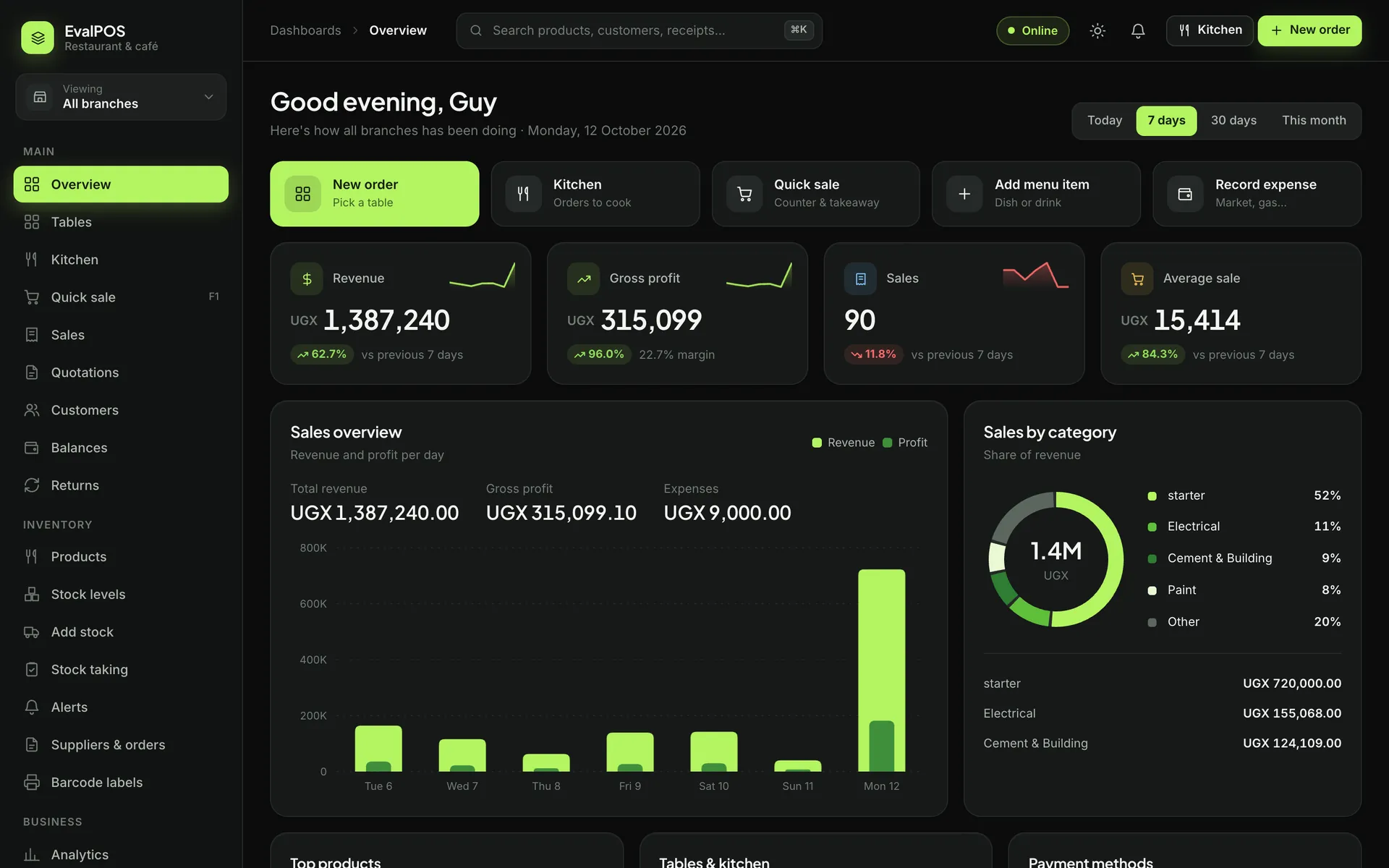
Sales, profit and best sellers for every branch, updated as each sale goes through.
Know your business down to the last item.
The all-in-one point of sale for shops, pharmacies, restaurants and hotels. Sell by the piece, the kilo, the tablet or the plate, keep stock right across branches, run your kitchen and see your profit, even when the internet is down.
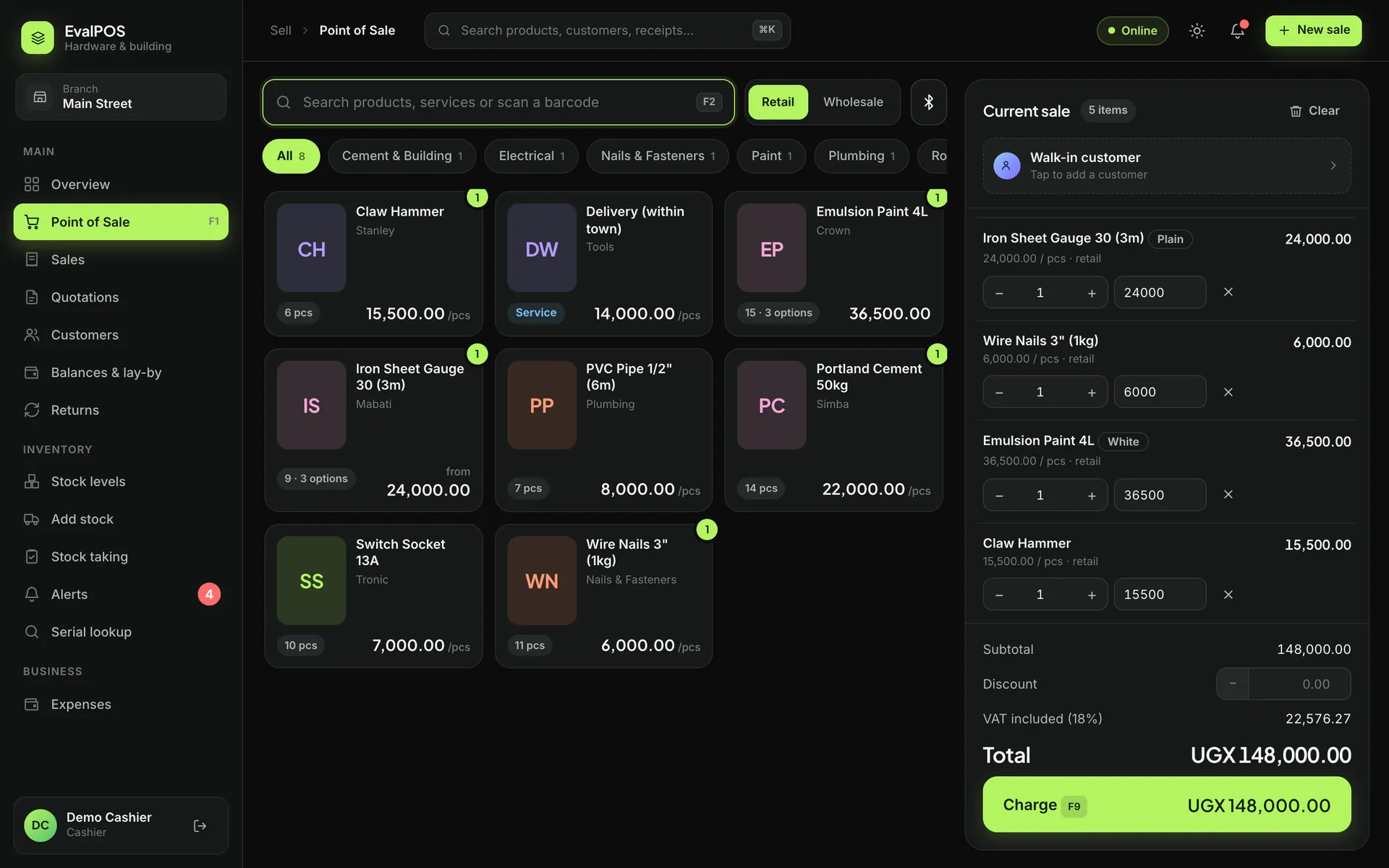
Scan a barcode, tap a product or search by name. Take cash, card, mobile money or a mix, and print or send the receipt. If the connection drops, the till keeps going.
Buy by the carton and sell by the piece, the kilo or the metre. Each branch has its own count, and you get a warning before anything runs out or expires.
For restaurants and hotels: tables, rooms, a kitchen screen and QR menus. For shops: customer records, loyalty points and lay-by.
These are screens from the live product. Click through them, or let them play.
Sales, profit and best sellers for every branch, updated as each sale goes through.
Every plan comes with the point of sale, stock, customers and reports. Everything else you switch on when you need it.
Split a payment, take a deposit, give change. When the internet goes, sales are kept on the device and sent once it comes back.
Kilos, litres, metres, crates and single tots all come out of the same count, per branch, with alerts for low stock and expiry dates.
Take each guest's order at the table, send it to the kitchen screen, split the bill by guest, and let hotel guests order from a QR code.
Tell EvalPOS what you sell and it sets up the right units, product groups and screens. A hardware shop gets trade prices and quotations. A café gets tables and a kitchen screen.
EvalPOS runs in a web browser, so there is nothing to install and no server to buy. Your staff sign in on the devices you already have, and you can check every branch from your own phone.
Tell us about your business and we will show you EvalPOS working with your own products.
We create your account for your type of business, add your branches and staff, and help you load your products.
Sign in on a phone, tablet or computer and make your first sale. Sales, stock and profit update as you go.
Pay monthly or yearly. Every plan starts with a free trial.
Prices are shown in UGX. If you pay in another currency, we will quote you in it.
EvalPOS (EvPos) is point-of-sale and business management software that runs in your web browser. You use it to sell at the counter, keep track of stock in every branch, manage customers and staff, and see your sales and profit.
Hardware stores, supermarkets and mini-marts, pharmacies and drug shops, fashion boutiques, electronics and phone shops, salons and wig shops, perfume and cosmetics, stationery, auto spares, furniture, restaurants, cafés, bars, hotels and general retail. You pick your type and it sets itself up to match.
Yes. The till keeps working offline and saves every sale on the device. When the connection comes back, everything is sent automatically.
Any phone, tablet or computer with a web browser. Receipt printers (Bluetooth or USB) and barcode scanners are optional.
Yes. Each business chooses its own currency and tax rate, and staff can sign in from anywhere.
Yes. Each branch has its own stock, staff and sales. As the owner you see every branch on one dashboard and can switch between them.
Each business has its own separate database. Staff have their own logins with roles (owner, manager, cashier), and the owner decides who sees what.
Book a demo and we will set you up with a free trial using your own products. After that you pay monthly or yearly by mobile money, bank transfer or card.
Book a demo and we will set EvalPOS up with your own products, usually on the same day.
It takes a minute. We will get back to you.